

Exercise Solution
The solution on this episode was in the video for the episode 006.4 .
- Go to Buddybuild website.
- Connect with your GitHub
- Choose which build you will use, android or ios. If you're going to use both, you should choose one at a time.
- After each commit, just check the list of builds.
Preparatory Readings
This week we're going to look through the current state of the DailyDrip React Native application, and discuss the libraries we used and why we used them. To prepare yourself, you can read up on a few of the libraries we used:
Immutable.js
Immutable.js provides many Persistent Immutable data structures including: List, Stack, Map, OrderedMap, Set, OrderedSet and Record.
Mutable data is a huge source of bugs. We use Immutable.js to provide immutable data structures so that we avoid this entire class of bugs. Read up a bit on how it works and what it provides.
Redux
Redux is a predictable state container for JavaScript apps.
Redux helps you manage state in a predictable fashion in your application. We use it as our data store. We use a few extensions that are pretty interesting as well.
Redux Logger
Logger middleware for Redux
Redux Logger makes it easy to debug what's happening in your Redux application.
Remote Redux DevTools
Redux DevTools remotely.
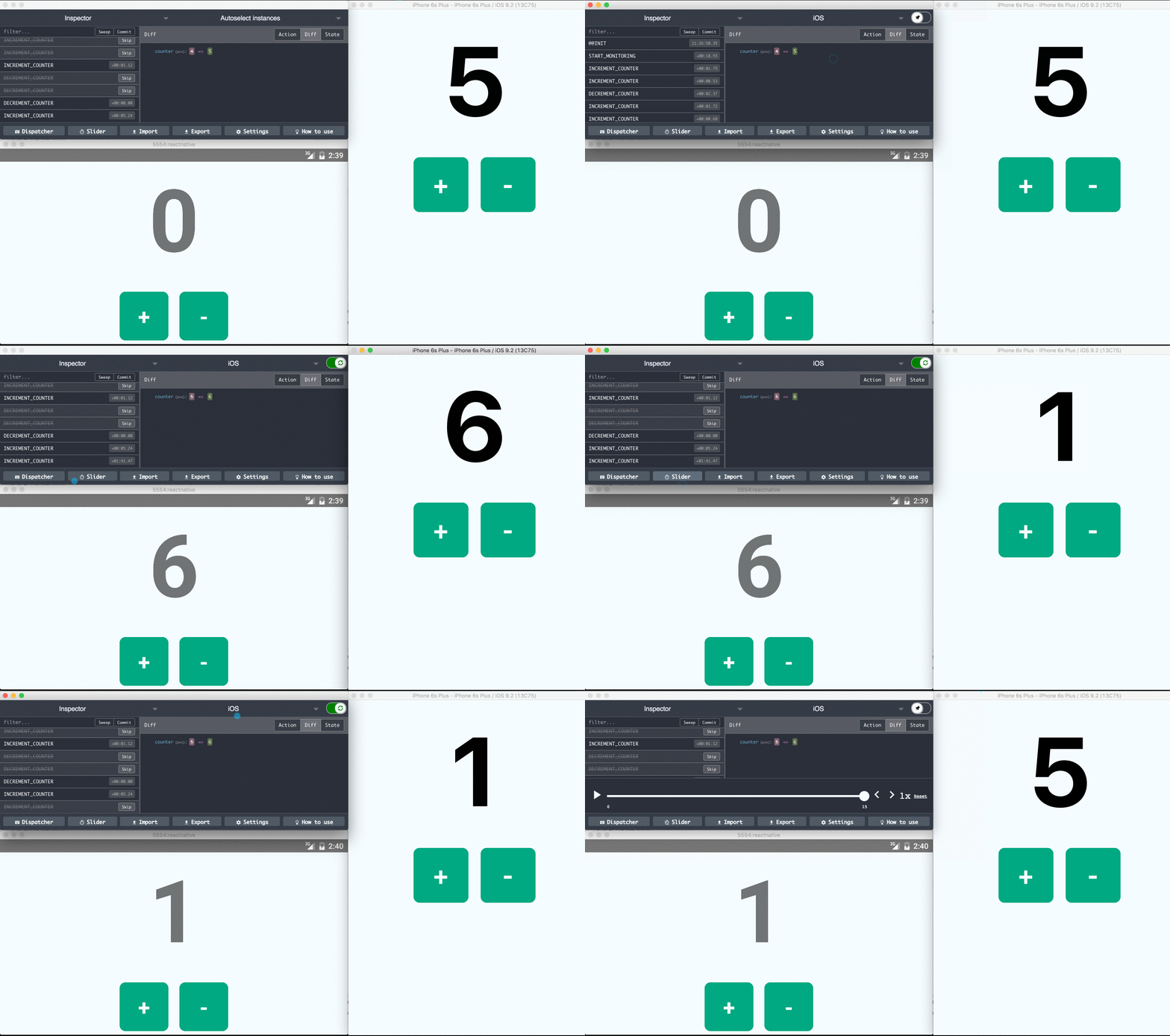
With Remote Redux DevTools, we can have a nice interface to view and debug our Redux state.
Redux Storage
Persistence layer for redux with flexible backends
We're using Redux Storage to allow us to store our Redux state on the device so that state is persisted. We use it in conjunction with redux-storage-engine-reactnativeasyncstorage to use the AsyncStorage backend.
React Native Debugger
The standalone app based on official debugger of React Native, with React Inspector / Redux DevTools.
This application makes it easy to inspect your Redux state while developing your application, as well as inject actions or do "time travel debugging".
Others
We're using a few other libraries as well you could feel free to check out. You can review our package.json file to see what all we're using for now.
As you can see in our package.json, we're using some others libraries, some of them we will talk in the next episodes. If you want to know more about that, take a look at the package.json and try the libraries.
Summary
Today we saw how to set up our CI system, and provided a few links to prepare us for the upcoming week's work. See you soon!
Comments for Preparing to Work on the DailyDrip Mobile App